Meta Title: Web Development vs Software Development: Key Differences (2026)
Meta Description: Discover the difference between web development and software development, including skills, programming languages, tools, career options, salaries, and which path beginners should choose.
Focus Keyword: Web Development vs Software Development
Secondary Keywords: Web development, software development, web developer vs software developer, programming languages, software engineering, frontend development, backend development, career in software development.
Introduction
Technology has created countless opportunities for people who want to build websites, applications, and digital products. As businesses increasingly depend on technology, web development and software development have become two popular career paths for students, beginners, freelancers, and experienced IT professionals.
However, many people find it difficult to understand the difference between web development and software development. Both fields involve programming, problem-solving, testing, and building digital solutions, but their goals, technologies, and areas of specialization can differ.
Web development primarily focuses on creating websites and web applications that users access through internet browsers. Software development is a broader field that includes building many kinds of applications, such as desktop programs, mobile apps, operating systems, business systems, and web applications.
Understanding these differences can help you choose the right learning path, select suitable programming languages, and prepare for the career that best matches your interests.
In this guide, we will compare web development vs. software development in detail, including their definitions, skills, tools, career opportunities, advantages, challenges, and future prospects in 2026.
What Is Web Development?
Web development is the process of creating, building, testing, and maintaining websites and web applications.
A website might provide information about a business, publish articles, sell products, or allow visitors to register for an account. A web application can offer more advanced functionality, such as online banking, document editing, project management, and appointment booking.
Web developers use programming languages, frameworks, databases, and hosting services to create these digital experiences.
For example, an online shopping website may allow customers to browse products, add items to a cart, make payments, and track orders. Web developers build the interfaces and systems that make these features possible.
Types of Web Development
Web development is commonly divided into three main categories.
1. Frontend Development
Frontend development focuses on the parts of a website that users see and interact with.
Frontend developers create page layouts, navigation menus, forms, buttons, responsive designs, and interactive features. Their work helps make websites accessible, visually appealing, and easy to use.
Common frontend technologies include:
- HTML for structuring web content.
- CSS for styling and layout.
- JavaScript for interactive functionality.
- React and other frameworks or libraries for building complex interfaces.
For example, the product page of an online store, including its images, prices, navigation, and shopping cart controls, involves frontend development.
2. Backend Development
Backend development focuses on the server-side systems that support a website or web application.
Backend developers manage business logic, databases, authentication, application programming interfaces (APIs), and communication between different services.
Popular backend technologies include Python, JavaScript with Node.js, Java, PHP, C#, and SQL-based database systems.
For example, when a customer places an order, the backend may validate the request, record the transaction, update inventory, and send an order confirmation.
3. Full-Stack Development
Full-stack development combines frontend and backend development.
Full-stack developers can work on the user interface as well as the server-side logic and data systems that support it.
They may use HTML, CSS, JavaScript, a frontend framework, a backend language, and a database system within the same project.
Full-stack development can be useful for small teams, startups, and independent developers who need to build complete web applications. However, becoming proficient in both frontend and backend technologies requires time and practice.
What Is Software Development?
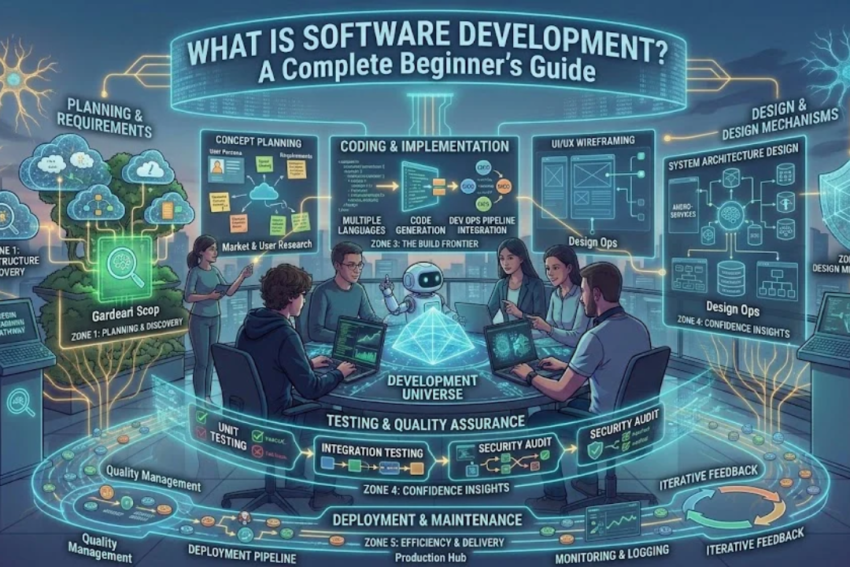
Software development is the broader process of designing, building, testing, deploying, and maintaining software applications and systems.
Software is a general term for programs and instructions that allow computers and digital devices to perform specific tasks.
Unlike web development, which concentrates on browser-based experiences and web technologies, software development covers a wider range of products.
Examples include desktop applications, mobile applications, enterprise systems, games, embedded software, and operating system components.
Software developers identify problems, analyze requirements, design solutions, write code, test applications, and improve software throughout its life cycle.
Types of Software Development
Software development includes several specializations.
1. Desktop Application Development
Desktop developers create programs that run on computers and laptops.
Examples include accounting applications, photo editors, office software, and specialized engineering tools.
Technologies may include C#, C++, Java, and Python, depending on the project.
2. Mobile Application Development
Mobile developers create applications for smartphones and tablets.
These applications may support banking, communication, entertainment, healthcare, education, or shopping.
Common technologies include Kotlin for Android, Swift for iOS, Flutter, and React Native.
3. Enterprise Software Development
Enterprise software helps organizations manage business processes, data, and operations.
Examples include inventory management systems, human resource platforms, enterprise resource planning software, and customer relationship management systems.
These projects may involve large databases, complex integrations, access controls, and extensive testing.
4. Game Development
Game developers create interactive entertainment software using programming, graphics, physics, sound, and artificial intelligence.
Popular development environments include Unity and Unreal Engine.
5. Embedded Software Development
Embedded developers create software that operates inside specialized electronic devices.
Examples include automotive control systems, industrial equipment, smart devices, and certain types of medical equipment.
This work may involve C, C++, microcontrollers, and real-time operating systems.
6. Web Application Development
Web application development is also a type of software development.
It involves creating applications that operate through web browsers or web-based interfaces. Examples include online banking platforms, collaborative tools, and cloud-based business applications.
This is an important distinction: web development and software development are not completely separate fields. Web development is one area within the broader software development landscape.
Web Development vs. Software Development: Key Differences
Although the two fields share many skills, they differ in their typical goals, technologies, and project environments.
| Feature | Web Development | Software Development |
|---|---|---|
| Main focus | Websites and web applications | Many types of software |
| Common platforms | Web browsers and web servers | Computers, mobile devices, servers, embedded devices, and browsers |
| Common technologies | HTML, CSS, JavaScript, React, backend frameworks | Python, Java, C#, C++, Swift, Kotlin, JavaScript, and others |
| Typical projects | Websites, online stores, web portals | Desktop programs, mobile apps, games, enterprise systems, and web applications |
| User access | Usually through a browser | Depends on the software; may require installation or run online |
| Development tools | Code editors, browser developer tools, web frameworks | IDEs, compilers, debuggers, testing tools, and platform-specific SDKs |
| Deployment | Often web hosting or cloud platforms | App stores, installers, servers, cloud platforms, or embedded devices |
| Core skills | Web technologies, responsive design, APIs, browser compatibility | Programming fundamentals, system design, testing, architecture, and platform-specific knowledge |
| Career roles | Frontend, backend, and full-stack web developer | Software engineer, mobile developer, desktop developer, game developer, and other specializations |
These are general patterns rather than strict boundaries. Many technologies and responsibilities overlap, especially in backend engineering and cloud-based applications.
Programming Languages Used in Both Fields
Programming languages are an important part of both web development and software development. However, different languages are commonly associated with different types of projects.
HTML and CSS
HTML and CSS are fundamental web technologies.
HTML structures content, while CSS controls its visual presentation. They are essential for frontend web development but are not general-purpose programming languages in the same sense as Python or Java.
JavaScript
JavaScript is widely used to create interactive websites and web applications. It can also be used for backend development through environments such as Node.js and for certain desktop and mobile application projects.
It is a practical choice for beginners who want to explore web development.
Python
Python is used in web backends, automation, scientific computing, data analysis, artificial intelligence, and general-purpose software development.
Its readable syntax makes it a common beginner-friendly option.
Java
Java is used in enterprise applications, backend systems, and Android-related development environments. It is particularly useful for learning object-oriented programming and building structured applications.
C and C++
C is frequently used in systems programming and embedded software. C++ is used in performance-sensitive applications, game engines, desktop programs, and other specialized areas.
C#
C# is popular within the .NET ecosystem for web applications, desktop software, enterprise systems, and game development with Unity.
Swift and Kotlin
Swift is primarily associated with modern Apple-platform development, while Kotlin is widely used for Android development.
These languages are particularly relevant to people interested in native mobile applications.
Which language should you learn first? Choose based on what you want to build. For websites, begin with HTML, CSS, and JavaScript. For general programming, automation, or data-related work, consider Python. For mobile apps, investigate the technologies used by your target platform.
Tools Used in Web Development and Software Development
Both fields rely on development tools, but the exact tools depend on the project.
Common Web Development Tools
Visual Studio Code: A widely used code editor for frontend and backend projects.
Browser developer tools: Built-in browser features for inspecting page layouts, debugging JavaScript, and analyzing network activity.
Git and GitHub: Tools and platforms for version control and collaboration.
Web frameworks: Technologies such as React, Django, and Express that help developers build applications using reusable components and established patterns.
Database tools: Software used to create, query, and maintain application data.
Hosting and cloud platforms: Services that make websites and applications available online.
Common Software Development Tools
Integrated Development Environments (IDEs): Applications such as Visual Studio, IntelliJ IDEA, and PyCharm that provide coding, debugging, and project management features.
Compilers and interpreters: Tools that translate or execute program instructions.
Debuggers: Tools that help developers investigate unexpected behavior.
Testing frameworks: Libraries and applications used to verify that software behaves correctly.
Build and deployment tools: Systems that automate the process of compiling, packaging, testing, and releasing applications.
Version control systems: Tools such as Git that help developers manage changes to source code.
There is considerable overlap between these toolsets. For example, Git, code editors, databases, and automated testing are important in both fields.
Skills Required for Web Development
To become a web developer, you should develop technical skills relevant to your chosen specialization.
Frontend Skills
Learn HTML, CSS, JavaScript, responsive design, browser debugging, and basic accessibility principles.
After developing a solid foundation, you can explore frontend frameworks such as React or other tools that suit your projects.
Backend Skills
Learn a backend language or framework, database fundamentals, API development, authentication, error handling, and basic server administration.
You should also understand how to protect user information and handle requests securely.
General Web Development Skills
Web developers benefit from knowledge of:
- Git and collaborative workflows.
- Website performance and optimization.
- Responsive layouts for different devices.
- Basic search engine optimization principles.
- Web accessibility.
- Testing and debugging.
- Deployment and hosting.
The exact requirements vary by job. A frontend developer does not necessarily need the same depth of database knowledge as a backend developer.
Skills Required for Software Development
Software developers need programming and problem-solving skills that match the type of software they build.
Programming Fundamentals
Understand variables, functions, conditions, loops, data structures, and error handling.
These concepts are useful across nearly every programming language.
Data Structures and Algorithms
Learn how to organize information and solve problems efficiently. The depth required depends on the role, but these concepts are commonly assessed in technical interviews.
Software Design and Architecture
Develop an understanding of how software components interact, how to organize code, and how to design systems that can be tested and maintained.
Testing and Debugging
Learn to reproduce errors, investigate their causes, and write tests that help prevent existing problems from returning.
Databases and APIs
Many software applications rely on databases and APIs to store information and communicate with external services.
Security and Reliability
Developers should understand secure coding practices, data protection, access controls, and the importance of reliable software behavior.
Specialized fields may require additional skills. For example, embedded development may involve electronics, while game development may require knowledge of graphics or physics.
Web Developer vs. Software Developer: Career Opportunities
Both fields offer multiple career paths, and job titles can overlap between organizations.
Web Development Careers
Common web development roles include:
- Frontend Developer.
- Backend Developer.
- Full-Stack Developer.
- Web Application Developer.
- WordPress Developer.
- E-commerce Developer.
- Web UI Developer.
These professionals may work for software companies, digital agencies, online retailers, startups, or businesses with internal development teams.
Some also work as freelancers, creating websites and web applications for clients.
Software Development Careers
Software development roles include:
- Software Developer.
- Software Engineer.
- Mobile Application Developer.
- Desktop Application Developer.
- Game Developer.
- Enterprise Application Developer.
- Embedded Software Developer.
- Test Automation Developer.
Software developers can work in healthcare, finance, education, manufacturing, telecommunications, entertainment, and other sectors.
Which Career Has Better Opportunities?
Neither field is universally better. Opportunities depend on the location, industry, technical specialization, experience, and quality of a person’s work.
Web development can provide a relatively accessible route into programming because beginners can build websites and display their results in a browser.
Broader software development offers many possible specializations, including desktop applications, mobile software, enterprise platforms, and embedded systems.
A useful strategy is to review job advertisements in your target market and identify the skills requested for entry-level positions.
Salary Comparison: Web Development vs. Software Development
Salary is an important consideration when choosing a career, but there is no single salary figure that applies to all web developers or software developers.
Earnings depend on several factors:
- Country and city.
- Professional experience.
- Technical specialization.
- Employer and industry.
- Education and demonstrated skills.
- Employment arrangement, such as full-time, contract, or freelance work.
Some software engineering positions pay highly because they involve complex systems, specialized technical knowledge, or significant responsibility. However, experienced web developers with strong skills can also earn competitive salaries.
For beginners, focusing exclusively on salary can lead to poor decisions. It is often more useful to select a field you enjoy, build practical projects, and develop skills that employers or clients value.
When comparing salaries, use recent job listings and reliable salary surveys for your location rather than relying on broad internet estimates.
Which Is Easier to Learn: Web Development or Software Development?
The answer depends on what you mean by software development and what you want to create.
Web development often offers a more immediate visual learning experience. You can write HTML and CSS, open a browser, and see the result. This can make the first steps feel approachable.
However, professional web applications can become highly complex when they involve databases, security, payments, scalability, and large amounts of user data.
Software development is a broad category, so its difficulty varies considerably. A small Python automation script may be easier to build than a complex web application, while developing an operating system or high-performance game engine can be extremely challenging.
For most beginners, the best approach is to start with a small project and gradually increase its complexity.
How to Choose the Right Path in 2026
Your interests, learning goals, and preferred type of work can help you make a decision.
Choose Web Development If:
- You want to create websites or online services.
- You enjoy designing interactive user interfaces.
- You want to see visible results from your code.
- You are interested in freelancing for website-related projects.
- You want to learn technologies such as HTML, CSS, and JavaScript.
Choose Broader Software Development If:
- You want to explore mobile or desktop applications.
- You are interested in games, operating systems, or embedded devices.
- You enjoy solving programming problems across different platforms.
- You want to explore specialized fields such as enterprise software or scientific applications.
- You are interested in a particular technology stack outside conventional web development.
Remember that you do not have to commit to one field forever. Learning programming fundamentals makes it easier to transition between specializations.
A Beginner’s Roadmap for Web Development
If you decide to start with web development, follow a structured learning plan.
Month 1: Learn HTML and CSS
Create simple web pages and practice headings, links, images, forms, layouts, and responsive design.
Month 2: Learn JavaScript
Study variables, functions, arrays, objects, conditions, loops, and events. Build small interactive features.
Month 3: Build Practical Projects
Create a personal portfolio, a landing page, and a simple task management application. Learn how to debug your work.
Month 4: Learn Git and GitHub
Track your code changes and publish selected projects with clear documentation.
Months 5–6: Explore Advanced Concepts
Learn APIs, asynchronous JavaScript, a frontend framework, and the basics of backend development or databases, depending on your goals.
This timeline is a planning example, not a guarantee of professional readiness. Your progress will depend on the time you invest, your prior experience, and the complexity of the projects you build.
A Beginner’s Roadmap for Software Development
If you want to explore software development beyond websites, begin with a general-purpose programming language.
Step 1: Choose a Language
Python is a practical starting point for general programming and automation. Other languages may be more appropriate for your intended platform.
Step 2: Learn Core Programming Concepts
Study variables, data types, conditions, loops, functions, collections, and error handling.
Step 3: Build Small Applications
Create a calculator, a file organizer, an expense tracker, or a simple record management system.
Step 4: Learn Version Control
Use Git to track changes and GitHub to host projects.
Step 5: Study Testing and Databases
Learn how to validate input, handle errors, store information, and test important features.
Step 6: Choose a Specialization
Explore desktop development, mobile applications, backend engineering, game development, or another area that interests you.
Step 7: Develop a Portfolio
Publish several completed projects that demonstrate your abilities. Explain what each application does, how it works, and which problems it solves.
Future of Web Development and Software Development
Both fields are evolving as artificial intelligence, cloud computing, automation, and new development tools change how digital products are built.
AI-Assisted Coding
AI tools can help developers generate code drafts, explain unfamiliar concepts, and suggest possible solutions. Developers still need to verify code, test functionality, and make sound technical decisions.
Cloud-Based Applications
More applications rely on cloud infrastructure for hosting, data storage, deployment, and scaling. Developers benefit from understanding how applications operate in cloud environments.
Cybersecurity
Security remains important across websites, mobile applications, desktop programs, and enterprise systems. Developers need to consider vulnerabilities, permissions, privacy, and data protection throughout the development process.
Cross-Platform Development
Frameworks and shared codebases can help teams deliver applications across multiple platforms. However, platform-specific performance, design, and functionality still require careful attention.
Automation and Continuous Delivery
Automated testing and deployment tools help development teams release updates more consistently and detect problems earlier.
The future will likely reward developers who combine strong fundamentals with practical experience, communication skills, security awareness, and the ability to learn new tools.
Frequently Asked Questions (FAQs)
1. What is the main difference between web development and software development?
Web development focuses on websites and web applications, while software development covers a wider range of applications, including mobile apps, desktop programs, games, embedded software, and web applications.
2. Is web development part of software development?
Yes. Web development is generally considered a specialization within the broader software development field. Both involve designing, implementing, testing, and maintaining software.
3. Which is better for beginners: web development or software development?
Web development is a practical starting point for people who want to create websites and interactive browser-based projects. General software development may suit those interested in programming, automation, mobile apps, or desktop applications. The best choice depends on your goals.
4. Can I learn web development without a degree?
Yes. Many people learn through online courses, books, practical exercises, and independent projects. A degree may be required for some positions, but other employers also consider practical experience, technical ability, and portfolio quality.
5. Can a web developer become a software developer?
Yes. Web developers already learn programming, debugging, testing, and application design. They can expand their skills by studying new languages, software architecture, databases, and platform-specific development.
6. Which programming language should I learn first?
For web development, begin with HTML, CSS, and JavaScript. For general programming and automation, Python is a common choice. Your intended projects should guide your decision.
7. Does software development pay more than web development?
Not always. Compensation depends on experience, specialization, location, industry, and employer. Both fields include entry-level and highly paid senior positions.
8. Can I freelance as a web developer?
Yes. Web developers can offer services such as building websites, improving existing pages, developing online stores, and maintaining web applications. Freelance success also requires communication, project management, and client relationship skills.
9. Is coding still worth learning in 2026?
Coding remains useful for building applications, automating tasks, and understanding technology. AI tools may change how developers work, but evaluating requirements, verifying results, designing reliable systems, and solving problems remain important skills.
10. Do web developers need to learn databases?
Backend and full-stack developers commonly need database knowledge. Frontend developers may not manage databases directly, but understanding how web applications retrieve and display data is still beneficial.
Conclusion
Web development and software development share many core concepts, but they differ in scope and typical project requirements. Web development specializes in websites and browser-based applications, while software development includes a much broader range of digital products.
If you enjoy building websites, interactive interfaces, and online services, web development may be a suitable starting point. If you are interested in mobile apps, desktop programs, games, enterprise systems, or embedded devices, consider exploring the wider software development field.
Neither path is automatically better. Your choice should depend on your interests, preferred projects, learning goals, and the opportunities available in your target market.
Start with programming fundamentals, practice regularly, build useful projects, and learn to use development tools effectively. As your experience grows, you can explore more advanced technologies and move into the specialization that best fits your ambitions.
The best career path is the one that motivates you to keep learning, solve meaningful problems, and build software that people find useful.