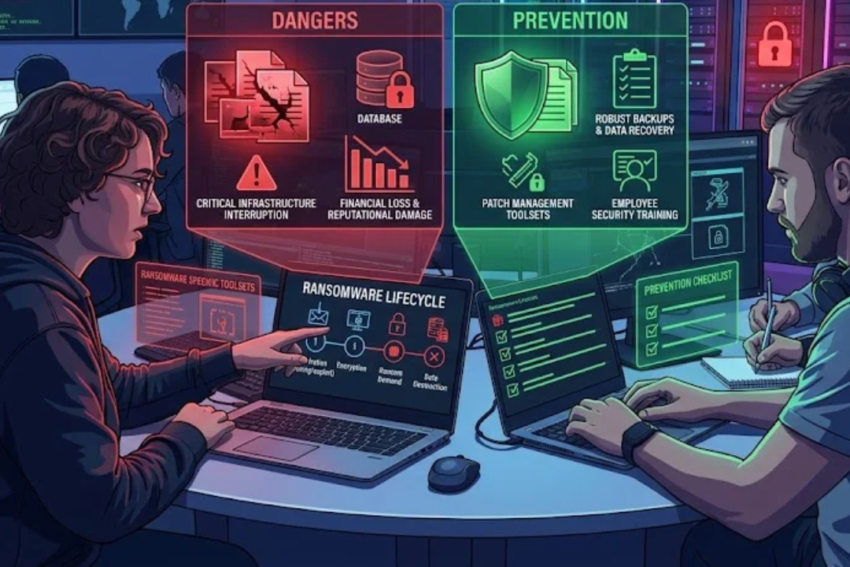
Introduction
In today’s digital world, individuals, businesses, hospitals, educational institutions, and government organizations depend heavily on computers and digital information. From personal photographs and financial records to confidential business documents and medical records, valuable information is stored on digital devices and online systems. While technology has made information easier to access and manage, it has also created new opportunities for cybercriminals.
One of the most dangerous cybersecurity threats is ransomware. Ransomware is a type of malicious software, commonly called malware, that prevents users from accessing their files or computer systems until a ransom is demanded. Attackers may encrypt important files, steal sensitive information, or threaten to publish confidential data unless the victim pays them.
Ransomware attacks have become a major concern because they can disrupt essential services, cause financial losses, damage reputations, and expose private information. A single successful attack can affect an entire organization, particularly when computers share networks and connected storage systems.
Understanding ransomware is essential for anyone who uses digital technology. By learning how these attacks occur, recognizing their warning signs, and following appropriate security practices, individuals and organizations can significantly reduce their risk.
This article explains ransomware in detail, including how it works, its common types, the methods attackers use, its consequences, and the practical steps that can help prevent and respond to an attack.
1. What Is Ransomware?
Ransomware is malicious software designed to deny access to data, systems, or devices until the attacker demands payment. The word combines two terms: ransom, meaning money or another demanded payment, and ware, referring to software.
Most modern ransomware attacks follow one of two main approaches.
File-encrypting ransomware
This type encrypts files stored on a computer or accessible network. Encryption transforms readable information into a form that cannot normally be accessed without the appropriate decryption key.
For example, a user might discover that documents, photographs, spreadsheets, and databases no longer open. Their filenames may have changed, and a message may appear demanding payment in cryptocurrency.
Locker ransomware
Locker ransomware prevents users from accessing a device or operating system, often by displaying a ransom message over the screen. Depending on the variant, personal files may remain intact even though the user cannot access the device normally.
Double-extortion ransomware
Some attackers use a more aggressive strategy. They steal confidential information before encrypting systems. They then demand payment to restore access and separately threaten to publish or sell the stolen data.
This approach is especially damaging because restoring files from backups does not necessarily eliminate the threat of information disclosure.
It is important to understand that paying a ransom does not guarantee that the attacker will restore files, delete stolen information, or refrain from attacking again.
2. How Does a Ransomware Attack Work?
Ransomware attacks can range from relatively simple infections affecting one computer to sophisticated operations targeting large organizations. Although the details vary, many attacks follow a recognizable sequence.
Step 1: Finding a target
Attackers may target individuals randomly, distribute malicious emails to thousands of recipients, or deliberately select organizations that possess valuable information.
Potential targets include:
- Hospitals and diagnostic laboratories.
- Banks and financial institutions.
- Government departments.
- Schools and universities.
- Manufacturing companies.
- Small businesses.
- Home users and freelancers.
Organizations that depend on uninterrupted operations can be particularly attractive to criminals because downtime may create pressure to pay quickly.
Step 2: Gaining initial access
Attackers need a way to enter a device or network. Common methods include phishing emails, stolen passwords, compromised remote-access services, and exploitation of unpatched software vulnerabilities.
For example, an employee might receive an email that appears to contain an invoice. Opening an attachment or entering credentials into a fraudulent website may give the attacker an opportunity to compromise the employee’s account or device.
In other cases, attackers exploit a vulnerable internet-facing system without requiring the victim to open an email.
Step 3: Establishing access and expanding control
After entering a system, attackers may attempt to maintain access, identify other computers, and obtain additional privileges.
In a poorly secured network, one compromised account or computer can sometimes become a starting point for a wider attack.
Attackers may also look for security software, shared folders, cloud-connected resources, and backup systems that could interfere with their plans.
Step 4: Stealing information
In attacks involving data theft, criminals may copy confidential files before encrypting them.
The stolen information may include customer records, financial documents, intellectual property, employee information, or medical data.
This creates an additional risk because the organization may face privacy obligations and possible legal or regulatory consequences even if it restores its systems successfully.
Step 5: Encrypting files or disrupting systems
The ransomware may then encrypt accessible files, disrupt applications, or interfere with services. Some attacks target network shares and connected systems, potentially affecting many users at once.
The victim may discover unfamiliar file extensions, inaccessible documents, unusual ransom notes, or systems that no longer function properly.
Step 6: Demanding payment
The attackers provide instructions for paying a ransom, often using cryptocurrency. They may set a deadline and threaten to publish stolen data or permanently destroy access to it.
Their claims should not be treated as trustworthy. Criminals may lie about the extent of the damage, fail to provide working decryption tools, or demand further payments.
Step 7: Recovery or further damage
The organization must determine how to contain the incident, investigate the compromise, restore systems, and protect affected people.
A successful recovery depends on several factors, including the availability of clean backups, the extent of data theft, the security of the remaining network, and the organization’s incident-response procedures.
3. Common Types of Ransomware
Ransomware is not a single program. It describes a broad family of malicious tools and criminal operations.
Crypto-ransomware
Crypto-ransomware encrypts files so that victims cannot access them normally. It is one of the best-known forms of ransomware.
It may affect documents, images, databases, archives, and other valuable files. Strong encryption can make recovery without the correct key extremely difficult.
Locker ransomware
Locker ransomware blocks access to a device or operating system. Some variants primarily interfere with the user interface rather than encrypting every personal file.
The actual consequences depend on the malware involved and how deeply it affects the system.
Double-extortion ransomware
Double-extortion attacks combine data theft with encryption. Attackers demand payment for both recovery and promises not to release stolen information.
Even organizations with good backups may face pressure because the confidentiality of their data has been compromised.
Ransomware-as-a-Service
Ransomware-as-a-Service, or RaaS, is a criminal business model in which developers provide ransomware tools and infrastructure to affiliates. Affiliates conduct attacks and may share the proceeds with the developers.
This model can allow criminals with limited technical expertise to participate in ransomware operations.
Targeted ransomware
Targeted ransomware operations focus on particular organizations rather than relying entirely on random infections.
Attackers may spend time studying an organization’s systems, identifying valuable data, and searching for weaknesses before launching the disruptive part of the attack.
Mobile ransomware
Mobile ransomware targets smartphones and tablets. Depending on the variant, it may lock the device, interfere with access, or threaten users with demands for payment.
Mobile devices can also be affected by other forms of malware that steal credentials or personal information without encrypting files.
4. How Do Attackers Deliver Ransomware?
Understanding delivery methods helps people recognize where preventive measures are most effective.
Phishing emails
Phishing is one of the most common ways attackers trick people into exposing themselves to cyber threats.
A malicious email might appear to come from a bank, courier service, employer, university, or government department. It may contain an attachment, a suspicious link, or an urgent request to verify an account.
Warning signs include unexpected attachments, unusual sender addresses, spelling inconsistencies, unexpected payment requests, and pressure to act immediately.
However, well-crafted phishing messages may contain none of the obvious warning signs. Users should verify unexpected requests through a separate trusted channel.
Malicious websites and downloads
Criminals may distribute malicious files through fraudulent websites, fake software updates, pirated applications, or misleading advertisements.
Downloading software from unofficial sources increases exposure to tampered installers and other unwanted programs.
Users should obtain software from official vendors or trusted application stores and avoid disabling security protections to install suspicious files.
Exploited software vulnerabilities
Software vulnerabilities are weaknesses that attackers can exploit to gain unauthorized access or execute malicious code.
Internet-facing servers, remote-access tools, operating systems, and business applications can become entry points when they are not properly maintained.
Applying security updates promptly helps close known vulnerabilities before attackers can exploit them.
Compromised remote access
Remote desktop services and other remote-access tools allow authorized users to connect to computers from different locations. If these services are exposed insecurely, attackers may attempt to access them using stolen passwords or other techniques.
Organizations should restrict remote access, use multifactor authentication, monitor login activity, and disable services that are not needed.
Stolen credentials
Criminals may obtain passwords through phishing, data breaches, infostealer malware, or password reuse.
If a password works across several services, compromising one account may put other accounts at risk.
Unique passwords, a password manager, and multifactor authentication can substantially reduce this danger.
5. Why Are Ransomware Attacks So Dangerous?
Ransomware creates several different types of damage, many of which extend beyond the immediate loss of file access.
Financial losses
Organizations may face costs related to investigation, technical recovery, business interruption, replacement equipment, legal advice, and customer notification.
Paying a ransom can add another expense without guaranteeing recovery.
Small businesses may be particularly vulnerable because they often have fewer resources for emergency response and prolonged downtime.
Loss of important data
If files are encrypted and no clean backups exist, important information may become inaccessible.
Some files may be recoverable using legitimate decryptors developed by security researchers for specific ransomware families. However, there is no universal decryption tool that works against all ransomware.
Recovery may be impossible in some cases.
Operational disruption
Ransomware can interrupt essential services. A business may be unable to process orders, manage inventory, issue invoices, or communicate with customers.
In hospitals and laboratories, unavailable computer systems can disrupt appointment scheduling, electronic medical records, laboratory information systems, reporting, and other essential workflows.
Organizations must plan for safe manual procedures and alternative systems when critical technology becomes unavailable.
Privacy breaches
When attackers steal confidential data, victims may face exposure of personal, financial, commercial, or medical information.
The impact can continue long after the systems are restored. Affected people may face fraud attempts, identity theft, targeted scams, or reputational harm.
Reputational damage
Customers and business partners may lose confidence in an organization that cannot protect their information.
Clear communication, responsible incident handling, and demonstrated improvements in security can help rebuild trust.
Legal and regulatory consequences
Depending on the jurisdiction and the type of information involved, an incident may trigger notification requirements, contractual obligations, investigations, or regulatory penalties.
Organizations should consult qualified legal and regulatory professionals when sensitive data may have been compromised.
6. Real-World Lessons From Major Ransomware Incidents
Past incidents demonstrate how ransomware can affect organizations across different sectors.
WannaCry in 2017
The WannaCry outbreak spread rapidly across numerous countries and organizations. It exploited a vulnerability in older Windows systems, affecting computers that had not applied the relevant security updates.
The incident highlighted the importance of timely patching, supported operating systems, and network segmentation.
It also demonstrated how a weakness affecting individual computers can contribute to widespread disruption.
NotPetya in 2017
NotPetya initially appeared to be ransomware, but its destructive behavior meant that many affected systems could not be restored simply by paying for decryption.
The incident caused major disruption to international businesses and supply chains.
It showed why organizations must prepare for destructive cyber incidents rather than assuming every ransom demand represents a recoverable encryption event.
Colonial Pipeline in 2021
A ransomware incident affecting Colonial Pipeline disrupted operations and contributed to significant fuel-supply concerns in parts of the United States.
The event demonstrated that cyberattacks against companies can have consequences extending beyond computers and digital files.
It reinforced the importance of incident response, operational continuity, and the separation of critical systems.
Lessons from these incidents
Although the technical details differ, several lessons appear repeatedly:
- Keep operating systems and applications updated.
- Maintain secure, tested backups.
- Restrict access to sensitive systems.
- Prepare incident-response procedures before an emergency.
- Monitor networks for suspicious activity.
- Train employees to recognize social engineering.
- Develop plans for operating essential services during technology outages.
7. How to Prevent Ransomware Attacks
No single security measure can prevent every ransomware attack. Effective protection requires multiple layers of defense.
1. Keep software updated
Install security updates for operating systems, browsers, office applications, servers, network devices, and other software.
Enable automatic updates where appropriate and prioritize critical security patches.
Unsupported software should be upgraded, replaced, or isolated from networks when it cannot be safely maintained.
2. Use reputable security software
Use a supported endpoint security solution and keep its protection mechanisms updated.
Depending on the product, security tools may detect suspicious behavior, block malicious downloads, identify known malware, and help security teams investigate attacks.
Security software is important, but it should not replace backups, patching, access controls, or user awareness.
3. Maintain strong passwords
Create a unique password for every important account. Avoid reusing passwords across email, banking, work systems, and social media.
A password manager can generate and store strong passwords securely, reducing the temptation to reuse simple ones.
Multifactor authentication adds another layer of protection. Where available, use phishing-resistant methods such as passkeys or hardware security keys, particularly for administrator and remote-access accounts.
4. Be cautious with email attachments
Do not open unexpected attachments or follow suspicious links without verification.
If a message claims to come from a colleague, bank, or supplier and requests an unusual action, confirm the request through a known telephone number or a separate trusted communication channel.
Do not rely solely on the sender’s displayed name.
5. Back up important data
Backups are one of the most important defenses against data-encrypting ransomware.
Maintain more than one backup copy, use different storage locations or technologies, and keep at least one copy isolated or otherwise protected from ordinary network access.
A useful approach is the 3-2-1 backup rule:
- Keep at least three copies of important data.
- Store them on at least two different types of storage media.
- Keep at least one copy off-site.
For ransomware resilience, the backup design should also protect against attackers deleting or encrypting the backup copies. Immutable backups or offline copies can help.
Backups must be tested regularly. A backup that cannot be restored when needed is not a reliable recovery plan.
6. Restrict user permissions
Users should receive only the access required to perform their work.
Avoid using administrator accounts for routine activities. Limit privileged access, protect administrator credentials, and review permissions regularly.
If one ordinary account is compromised, appropriately restricted permissions may prevent the attacker from gaining control over the entire environment.
7. Secure remote access
Disable unnecessary remote-access services. Require multifactor authentication for remote connections, restrict access to trusted users and devices, and monitor unusual login activity.
Organizations should also review access granted to third-party vendors and ensure that their connections are limited to the systems they need.
8. Segment the network
Network segmentation separates systems into controlled areas instead of allowing every device to communicate freely with every other device.
For example, an organization may separate office computers, servers, backup infrastructure, and critical operational equipment.
Segmentation can limit the spread of ransomware and make it harder for an attacker who compromises one computer to reach other important systems.
9. Train employees
Employees should understand how phishing works, how to report suspicious messages, and what to do if they accidentally open a suspicious attachment.
Training should include realistic examples and clear reporting procedures.
Organizations should encourage early reporting rather than blaming employees. Rapid reporting can help security teams contain a potential incident before it spreads.
10. Monitor systems and prepare a response plan
Organizations should collect and review security logs, investigate unusual activity, and establish procedures for responding to suspected ransomware.
Security monitoring can help detect suspicious logins, unusual file activity, unauthorized software, and unexpected access to sensitive systems.
The response plan should identify responsible staff, communication channels, backup locations, recovery priorities, and external experts who can assist during an incident.
8. The Importance of Backups and Disaster Recovery
Backups deserve special attention because they can determine whether an organization can recover without relying on the attackers.
Types of backups
Full backup: A complete copy of the selected data. Full backups are straightforward to restore but may require more storage and time.
Incremental backup: Stores changes made since the previous backup. This can reduce backup time and storage requirements, although restoration may require multiple backup sets.
Differential backup: Stores changes made since the last full backup. Restoration may be simpler than restoring from a long chain of incremental backups, but differential backups can grow over time.
Offline backup: A copy that is disconnected from the network when not being used. This can help protect it from ransomware operating on connected systems.
Immutable backup: A backup protected against alteration or deletion for a specified period, subject to the configuration and controls of the storage system.
Test restoration regularly
Organizations should not simply assume that backups are working.
They should periodically restore sample files and conduct more complete recovery exercises. These tests help confirm that backup copies are available, readable, complete, and sufficiently recent.
Recovery plans should also account for the time required to rebuild systems, reinstall software, validate data, and return services to normal operation.
9. What Should You Do If Your Computer Is Infected With Ransomware?
If you suspect a ransomware infection, avoid panic and focus on limiting the damage.
Step 1: Isolate the affected device
Disconnect the affected computer from wired and wireless networks where this can be done safely. Disconnecting it may help reduce the spread of malware to shared resources.
If the device belongs to an organization, follow its incident-response procedures and contact the IT or security team immediately.
Do not casually power down, restart, or alter the device if a professional response team may need to preserve evidence. Follow the organization’s instructions when available.
Step 2: Report the incident
Notify the appropriate IT staff, security team, service provider, or incident-response specialist.
For a personal device, seek help from a reputable cybersecurity professional if important data or accounts may be affected.
Record what happened, including the time the problem was discovered, suspicious messages, ransom notes, and any unusual system behavior.
Step 3: Protect other accounts and systems
Use a separate, trusted device to review important accounts if compromise is suspected. Follow expert guidance on changing passwords, revoking active sessions, and securing email or administrator accounts.
Do not enter sensitive credentials into a computer that may still be compromised.
Step 4: Preserve evidence
Keep copies of ransom notes, suspicious emails, filenames, and relevant security alerts where possible.
Do not upload confidential files to random online services or delete evidence before the response team has assessed the incident.
Step 5: Identify the ransomware
Cybersecurity specialists may examine the ransom note, file extensions, system behavior, and other evidence to identify the ransomware family.
Some security organizations provide reputable tools for identifying ransomware and locating available decryptors. However, identification does not guarantee that a working decryptor exists.
Step 6: Restore from clean backups
Before restoring data, ensure that the original compromise has been contained and the systems are sufficiently secure.
Restoring files while attackers still have access can result in reinfection or another disruption.
Organizations should restore from known-good backups, apply security updates, reset compromised credentials, and monitor restored systems closely.
Step 7: Consider reporting obligations
Depending on the incident, organizations may need to contact law enforcement, a national cyber incident-response authority, insurers, regulators, or affected individuals.
The relevant requirements vary by country, sector, and type of data involved. Qualified professionals can help determine the appropriate steps.
10. Should You Pay the Ransom?
Paying a ransom is a difficult decision, particularly when critical files or business operations are affected.
However, payment carries significant risks.
First, attackers may never provide a working decryption key. Second, stolen information may still be published or sold even after payment. Third, the attackers may demand additional money. Finally, payment can support further criminal activity.
There may also be legal, sanctions, insurance, or regulatory considerations, depending on the parties involved and the applicable jurisdiction.
Organizations facing a ransomware incident should consult experienced incident responders, legal advisers, insurers where relevant, and appropriate authorities before making decisions.
They should also evaluate recovery options, the availability of backups, the sensitivity of affected information, and the consequences of prolonged downtime.
There is no universal answer that applies to every incident. Nevertheless, paying should never be treated as a guarantee of recovery or confidentiality.
11. Ransomware Prevention in Hospitals and Medical Laboratories
Healthcare organizations deserve special consideration because their systems support patient care, clinical decisions, and essential medical services.
A ransomware incident in a hospital or diagnostic laboratory may affect more than administrative records. It can interrupt laboratory reporting, delay access to patient histories, disrupt imaging workflows, and interfere with appointment scheduling.
For a diagnostic laboratory, systems potentially affected include the laboratory information system (LIS), hospital information system (HIS), laboratory instrument connectivity, electronic result reporting, and systems used to manage patient information.
Protect laboratory information systems
Access to laboratory software should be limited to authorized users. Shared accounts should be avoided where practical, and permissions should reflect each user’s responsibilities.
Administrative access should be tightly controlled, particularly on systems connected to laboratory instruments or patient databases.
Protect instrument-connected computers
Laboratory analyzers and their associated computers may depend on specific software versions or vendor-supported configurations. Some systems cannot be updated as freely as ordinary office computers.
Laboratories should work with instrument vendors and IT teams to maintain supported configurations, restrict network access, and implement appropriate compensating controls where direct patching is not possible.
Maintain secure result backups
Important laboratory data and system configurations should be backed up according to the organization’s requirements.
Recovery procedures should prioritize data integrity and the safe restoration of laboratory operations. A restored system must be validated before staff rely on it for clinical reporting.
Establish manual contingency procedures
Laboratories should have approved procedures for operating during system outages. These may include controlled manual documentation, result verification, patient identification, communication with clinical teams, and subsequent reconciliation of records.
Any manual workflow must preserve patient safety, traceability, confidentiality, and the accuracy of results.
Train laboratory staff
Laboratory professionals should know how to recognize suspicious emails, report unexpected system behavior, protect login credentials, and follow approved procedures during an IT outage.
Staff should not attempt unauthorized repairs, install unapproved software, or connect personal storage devices to laboratory systems.
In healthcare, cybersecurity is not simply an IT responsibility. It is also part of operational resilience and patient safety.
12. The Role of Artificial Intelligence in Ransomware Defense
Artificial intelligence and machine learning are increasingly used in cybersecurity tools to identify suspicious behavior and help security teams investigate threats.
For example, security systems may analyze patterns involving unusual file access, suspicious login behavior, unexpected changes to system processes, or activity that differs from an established baseline.
These tools can help detect threats that are difficult to identify through traditional signatures alone.
However, AI-based security is not perfect. Legitimate activity may sometimes trigger alerts, while sophisticated attackers may evade detection. Security teams still need effective monitoring, tested response procedures, and human judgment.
Artificial intelligence can also be misused by criminals to improve phishing messages, automate parts of their operations, or create convincing fraudulent communications.
The practical lesson is that organizations should use modern security tools as part of a broader defense strategy rather than treating any single technology as a complete solution.
13. The Future of Ransomware
Ransomware is likely to remain a significant cybersecurity challenge because organizations continue to rely on interconnected digital systems and valuable data.
Several developments may influence future attacks.
More targeted attacks
Criminals may continue focusing on organizations where downtime creates significant operational or financial pressure.
Increased data-theft threats
Attackers can threaten to publish stolen information even when encryption is not the main obstacle to recovery. This makes data protection and access monitoring increasingly important.
Supply-chain risks
An attacker may compromise a software supplier, service provider, or trusted business partner to gain access to multiple organizations.
Organizations should evaluate third-party access, software updates, and vendor security practices.
Cloud and hybrid-environment risks
Cloud services can improve resilience, but they are not automatically immune to ransomware.
Compromised accounts, excessive permissions, insecure configurations, and accessible backup resources can expose cloud data to deletion, encryption, or theft.
Strong identity controls, separate backup permissions, logging, and recovery testing remain important.
Greater emphasis on resilience
Organizations are increasingly recognizing that preventing every attack is unrealistic.
A strong strategy therefore combines prevention with early detection, containment, reliable recovery, and the ability to continue essential operations during a disruption.
Conclusion
Ransomware is one of the most serious threats in modern cybersecurity because it can make valuable information inaccessible, expose confidential data, disrupt essential services, and cause substantial financial and reputational damage.
These attacks may begin with a phishing email, a stolen password, an unpatched vulnerability, or insecure remote access. Once inside a system, attackers may spread across networks, steal information, encrypt files, and demand payment.
Nevertheless, ransomware risk can be reduced through practical security measures. Keeping software updated, using unique passwords, enabling multifactor authentication, restricting user privileges, maintaining secure backups, and training employees can make successful attacks less likely and recovery more manageable.
Organizations should also prepare for incidents before they occur. A documented response plan, tested backups, network segmentation, security monitoring, and clear communication procedures can substantially reduce the consequences of an attack.
For hospitals and medical laboratories, these protections are particularly important because computer systems support patient care, accurate reporting, and continuity of essential services.
Ultimately, ransomware defense is not the responsibility of IT departments alone. Every person who uses digital systems has a role in protecting information. Through awareness, preparation, and consistent security practices, individuals and organizations can build stronger defenses against ransomware and other evolving cyber threats.