Introduction
Every day, millions of people use passwords to access email accounts, social media platforms, online banking services, shopping websites, workplace systems, and cloud storage. Passwords have become a fundamental part of digital life, protecting everything from personal photographs to financial information and confidential business documents.
However, passwords are also one of the weakest points in cybersecurity when they are poorly chosen, reused across multiple websites, or exposed through phishing attacks and data breaches. A single compromised password can sometimes give a criminal access to several accounts, particularly when those accounts are connected through the same email address.
As cyber threats become more sophisticated, traditional password practices are no longer sufficient on their own. Security technologies such as password managers, multifactor authentication, passkeys, and hardware security keys provide stronger ways to protect digital identities.
In 2026, understanding these technologies is increasingly important for individuals and organizations alike. Fortunately, improving password security does not require advanced technical knowledge. By learning how passwords are attacked and how modern authentication methods work, anyone can take meaningful steps toward protecting their digital life.
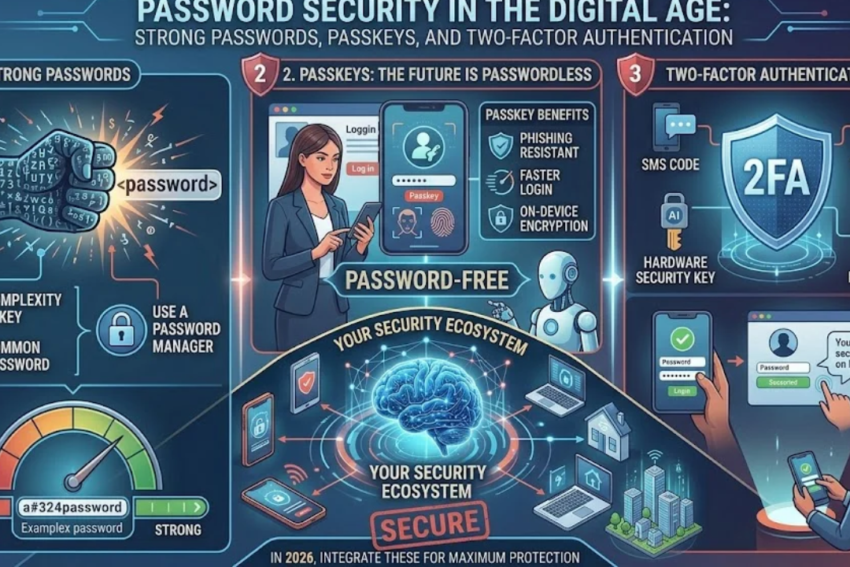
This article explains password security, the characteristics of strong passwords, common password attacks, the benefits of password managers, the difference between two-factor authentication and multifactor authentication, and why passkeys are becoming an important alternative to traditional passwords.
1. What Is Password Security?
Password security refers to the practices and technologies used to protect passwords from theft, guessing, unauthorized disclosure, and misuse.
A password acts as a secret that helps verify a user’s identity when accessing an account or system. When a user enters the correct password, the service checks it against the information associated with the account and decides whether to allow access.
However, a password alone does not always prove that the person entering it is the legitimate account owner. Someone who steals or guesses the password may be able to use it as well.
Password security therefore involves more than choosing a complicated combination of characters. It includes creating unique passwords, storing them securely, avoiding phishing, using additional authentication factors, and protecting account recovery methods.
Strong password security aims to achieve several objectives:
- Prevent unauthorized access to accounts.
- Reduce the damage caused by data breaches.
- Protect personal and financial information.
- Limit the effects of stolen credentials.
- Reduce the likelihood of identity theft.
- Protect organizational systems and confidential information.
For example, suppose a person uses the same password for email, social media, and online shopping. If the shopping website experiences a data breach, criminals may try the exposed password on the person’s other accounts.
Using a unique password for every service prevents that particular password exposure from automatically compromising the other accounts.
2. Why Password Security Matters More Than Ever
Modern users often maintain dozens of online accounts. Each account may contain information that attackers could exploit.
An email account may provide access to password-reset links. A social media account may be used to impersonate its owner. A banking account may contain financial information, while a workplace account may provide access to confidential business records.
Weak password practices can create several risks.
Account takeover
Account takeover occurs when an unauthorized person gains control of another person’s account.
Attackers may use stolen credentials to change account settings, access private messages, impersonate the account owner, or make unauthorized transactions.
Identity theft
Criminals may use compromised accounts and personal information to impersonate victims, commit fraud, or attempt to access additional services.
Financial loss
Compromised banking, payment, or shopping accounts can expose users to fraudulent purchases, unauthorized transfers, and other financial risks.
Workplace security breaches
An employee’s compromised password may provide access to internal systems, customer records, or confidential company information.
Privacy violations
Stolen credentials can expose private photographs, conversations, documents, and other personal information.
Password security is particularly important because digital accounts are often interconnected. An attacker who gains access to one account may use it to reset passwords elsewhere.
For this reason, securing your primary email account is one of the most important steps in protecting your digital identity.
3. What Makes a Password Strong?
A strong password should be difficult for an attacker to guess and resistant to common password-cracking techniques.
Several factors influence password strength.
Length
Longer passwords generally provide more possible combinations, making them harder to guess when other factors are equal.
For example, a short password consisting of a few predictable characters may be much easier to guess than a long, randomly generated password.
Length is particularly valuable when the password is generated randomly rather than constructed from predictable personal information.
Unpredictability
A password should not follow common patterns or contain information that an attacker could easily discover.
Avoid using:
- Your name or a family member’s name.
- Your date of birth.
- Your phone number.
- Common words with predictable substitutions.
- Simple sequences such as
123456. - Keyboard patterns such as
qwerty. - The same password used on another website.
Adding a few predictable symbols to a familiar word does not necessarily make it strong. Attackers use tools that account for common substitutions and patterns.
Uniqueness
Every important account should have its own password.
Uniqueness is essential because data breaches happen even to reputable services. A unique password prevents a password stolen from one service from being directly reused to access another.
Avoiding personal information
Information posted publicly on social media may help attackers guess passwords or answer account-recovery questions.
Avoid passwords based on information such as your birthday, school, workplace, hometown, or pet’s name.
A practical example
Consider these illustrative passwords:
ahsan123Password@123River-Candle-Mango-Train-47- A long, randomly generated password stored in a reputable password manager.
The first two examples are predictable. The third is longer, but its strength depends on how it was created and whether the words follow a predictable pattern. A randomly generated password with sufficient length and complexity generally offers stronger resistance to guessing.
The important principle is that a password should be difficult to predict, not merely difficult for a human to remember.
4. Are Special Characters Always Necessary?
Many people believe that a strong password must contain uppercase letters, lowercase letters, numbers, and special symbols.
These elements can increase the number of possible combinations, but password length and unpredictability are also crucial.
For example, a long, randomly generated password may be much stronger than a short password that contains several types of characters but follows a common pattern.
A passphrase made from several randomly selected words can also be strong if it is sufficiently long and unpredictable.
Current password guidance increasingly emphasizes length, uniqueness, and resistance to guessing rather than requiring arbitrary character combinations in every situation.
A practical approach is to use a password manager to generate passwords for websites and applications. For passwords that must be remembered, such as a password-manager master password, choose a long and memorable passphrase that is not based on a familiar quotation or personal information.
Always follow the requirements of the service you are using, but do not assume that adding one symbol automatically makes a weak password secure.
5. Common Password Attacks
Understanding how attackers obtain passwords helps explain why strong passwords and additional authentication methods matter.
5.1 Brute-force attacks
A brute-force attack involves systematically trying many possible password combinations until the correct one is found.
The feasibility of this method depends on factors such as password length, unpredictability, the attacker’s computing resources, and whether the service limits login attempts.
Online services can reduce risk through rate limiting, suspicious-login detection, and other protective controls.
5.2 Dictionary attacks
Dictionary attacks use lists of common words, passwords, and combinations to identify weak credentials.
Attackers may test common phrases, familiar names, and frequently used password patterns before trying less predictable combinations.
A password based on a common word with a predictable number added to the end may be vulnerable to this approach.
5.3 Credential stuffing
Credential stuffing occurs when attackers use usernames and passwords exposed in one breach to attempt logins on other services.
This attack works because many people reuse passwords.
For example, if a password is stolen from a gaming website, an attacker may test the same credentials on email, shopping, and financial services.
The best defense is to use a unique password for every account.
5.4 Phishing
Phishing tricks users into revealing their passwords through fraudulent websites, emails, messages, or phone calls.
A criminal might create a fake login page that resembles a legitimate service. When a victim enters their credentials, the information is captured by the attacker.
Strong passwords cannot protect an account if the user voluntarily enters them into a fraudulent website.
Multifactor authentication and phishing-resistant passkeys can reduce this risk.
5.5 Keylogging
A keylogger records keystrokes or otherwise captures information entered on a compromised device.
Some keyloggers are malicious software, while other forms of credential theft may involve compromised browser extensions or remote-access tools.
To reduce risk, keep devices updated, use reputable security protections, avoid suspicious downloads, and do not install unknown applications.
5.6 Password database breaches
Online services must store information that allows them to verify passwords.
Well-designed systems do not store passwords in plain text. Instead, they use password-hashing techniques, often combined with unique salts, to make stolen password databases harder to exploit.
However, poorly designed systems may store passwords insecurely, and attackers may attempt to crack password hashes obtained from a breach.
Users cannot directly control how every website stores credentials, which makes unique passwords and multifactor authentication especially important.
5.7 Shoulder surfing
Shoulder surfing occurs when someone observes another person entering a password or PIN.
This may happen in a public place, office, classroom, or other shared environment.
Use privacy-conscious positioning, avoid entering sensitive information where others can easily observe it, and protect your device from unauthorized access.
6. What Is a Password Manager?
A password manager is an application or service that securely stores passwords and helps users create, organize, and retrieve credentials for different accounts.
Instead of remembering dozens of passwords, users typically need to remember one strong master password or unlock the manager through another supported authentication method.
Password managers can provide several benefits:
- Generate long, random passwords.
- Store a unique password for each service.
- Autofill credentials on supported websites and applications.
- Identify reused or weak passwords.
- Help users update credentials after a security incident.
- Synchronize credentials across authorized devices, depending on the service.
How does a password manager work?
Suppose you have accounts on twenty different websites.
Without a password manager, you might reuse a familiar password because remembering twenty unique passwords is difficult.
With a password manager, each website can have its own randomly generated password. The manager stores the credentials in an encrypted vault and allows you to retrieve them when needed.
The exact protection mechanisms differ between products, but a reputable password manager should use strong encryption and provide secure account-recovery options.
How to choose a password manager
Consider the following factors:
Security reputation: Look for a provider with a credible security history and transparent documentation.
Encryption: Understand how the service protects stored credentials and manages encryption keys.
Multifactor authentication: Prefer a service that supports strong additional authentication.
Device compatibility: Check whether it works with your computers, smartphones, and browsers.
Recovery options: Understand what happens if you forget your master password or lose access to your devices.
Security alerts: Features that identify weak, reused, or exposed passwords can be useful.
Are password managers completely safe?
No security product is completely risk-free.
A password manager can still be exposed to risks such as phishing, device compromise, weak master passwords, or vulnerabilities in the application.
Nevertheless, using a reputable password manager is generally much safer than reusing a small number of passwords across many websites.
Protect the manager with a strong master password, keep it updated, enable multifactor authentication where available, and avoid entering your credentials into suspicious websites.
7. What Is Two-Factor Authentication?
Two-factor authentication, commonly called 2FA, requires two different types of evidence to verify a user’s identity.
Authentication factors are generally grouped into three categories:
- Something you know: A password or PIN.
- Something you have: A phone, authenticator device, or security key.
- Something you are: A biometric characteristic, such as a fingerprint or facial feature.
Two-factor authentication uses two distinct categories.
For example, logging in with a password and then confirming the login using an authenticator application involves something you know and something you have.
This additional step can prevent an attacker from accessing an account using only a stolen password.
Why is 2FA important?
Imagine that your password is exposed in a data breach.
If your account relies only on that password, an attacker may be able to log in immediately.
If your account also requires a separate authentication factor, the attacker may be unable to proceed without it.
However, not every second factor offers the same level of protection. Some can be intercepted or manipulated, and certain phishing attacks can capture passwords and authentication codes in real time.
For this reason, the type of authentication method matters as well as the number of factors.
8. Different Types of Two-Factor Authentication
8.1 SMS verification codes
Some services send a temporary code through a text message.
The user enters the code after providing a password.
SMS verification is generally better than password-only authentication, but it has limitations. Risks include SIM swapping, interception under certain circumstances, and phishing attacks that trick users into sharing codes.
Use SMS authentication when it is the only practical option, but consider stronger methods for important accounts.
8.2 Authenticator applications
Authenticator applications generate temporary verification codes on a device.
These codes are typically based on a shared secret and the current time, so they do not require a text message to arrive.
Authenticator applications can provide better protection than SMS in several situations. However, codes can still be stolen through phishing, especially if the user enters them into a fraudulent login page.
8.3 Push notifications
Some services send a login approval request to a registered device.
The user reviews the request and approves or denies it.
Push-based authentication can be convenient, but repeated unexpected prompts may be part of an attack in which a criminal hopes the user will approve a request accidentally.
Never approve a login request you did not initiate. Where supported, number matching and other safeguards can reduce accidental approvals.
8.4 Hardware security keys
A hardware security key is a physical device used to authenticate access to an account.
Depending on the system, it may connect through USB, NFC, or another supported interface.
Hardware security keys that use modern phishing-resistant authentication standards can provide strong protection because they verify the legitimate service’s identity during authentication.
A stolen password alone is not enough for an attacker to authenticate using a properly configured security key.
8.5 Passkeys
Passkeys are a modern authentication method that can replace passwords and provide strong resistance to phishing.
They use public-key cryptography rather than requiring the user to enter a shared secret password into a website.
Passkeys are discussed in greater detail in the next section.
9. Two-Factor Authentication vs. Multifactor Authentication
The terms 2FA and MFA are related, but they do not mean exactly the same thing.
Two-factor authentication requires two distinct authentication factors.
Multifactor authentication, or MFA, is the broader term for authentication that uses two or more distinct factors. Therefore, 2FA is a type of MFA.
For example:
| Method | Example |
|---|---|
| Password only | Password |
| Two-factor authentication | Password plus authenticator code |
| Multifactor authentication | Password, plus a separate physical or biometric factor where supported |
| Phishing-resistant authentication | Passkey or suitable security key |
A note about biometrics: using a fingerprint to unlock a device does not automatically mean a website is using a separate biometric factor in its authentication protocol. The overall design determines which factors are actually used.
The most important consideration is not simply the number of steps. It is how securely the system verifies the user’s identity and whether an attacker can bypass or manipulate those steps.
10. What Are Passkeys, and Why Are They Important?
Passkeys are designed to make authentication more secure and convenient by reducing reliance on traditional passwords.
They use public-key cryptography, which involves a mathematically related pair of keys.
The private key remains protected by the user’s device or credential provider, while the corresponding public key is registered with the service.
During authentication, the service sends a challenge. The device uses the private key to generate a cryptographic response, which the service verifies using the public key.
The private key is not sent to the website as a password would be.
Depending on the device and configuration, the user may unlock a passkey using a fingerprint, facial recognition, a device PIN, or another local authentication method.
Why are passkeys more secure against phishing?
Traditional passwords can be entered into a fake website that looks like the real one.
Passkeys are designed to be associated with the legitimate website or service. Authentication therefore depends on the correct website origin, making ordinary fake-login pages much less effective.
This is one of the key advantages of passkeys over passwords and many conventional authentication methods.
Advantages of passkeys
Phishing resistance: Properly implemented passkeys help prevent credentials from being used on fraudulent websites.
Convenience: Users often authenticate with a device unlock method instead of typing a password.
Reduced password reuse: Passkeys do not require users to create and remember a different password for every supported service.
Cryptographic verification: Authentication relies on cryptographic operations rather than sending the private key to the service.
Are passkeys perfect?
No. Passkeys still depend on the security of devices, credential providers, account recovery mechanisms, and the service itself.
If an attacker gains control of an account through a weak recovery process, a compromised device, or another route, the existence of a passkey may not prevent every form of account takeover.
Users should keep devices secure, understand how passkeys are synchronized or backed up, and protect their account recovery options.
Not every website or application supports passkeys yet, so passwords and other authentication methods may still be necessary.
11. Which Authentication Method Should You Use?
The best method depends on the account’s importance, the available technology, and the consequences of compromise.
Here is a practical comparison:
| Authentication method | Main advantage | Main limitation |
|---|---|---|
| Password only | Simple and widely supported | Vulnerable to reuse, guessing, and phishing |
| SMS code | Easy to use | Vulnerable to certain phone-number and phishing attacks |
| Authenticator app | Works without SMS delivery | Codes can still be phished |
| Push approval | Convenient | Users may approve fraudulent prompts |
| Hardware security key | Strong phishing resistance when properly implemented | Requires a physical key and compatible service |
| Passkey | Convenient, cryptographic, phishing-resistant authentication | Availability and recovery options vary |
For high-value accounts, such as primary email, financial services, and administrator accounts, use the strongest practical authentication methods available.
Passkeys and suitable hardware security keys are excellent options where supported. If they are unavailable, use a unique password and enable a reputable MFA method.
12. How to Secure Your Most Important Accounts
Not every account carries the same level of risk. Prioritize accounts that could expose other services or cause serious financial or personal harm.
Primary email account
Your email account is often the gateway to your digital identity because it receives password-reset messages and security notifications.
Use a unique password or passkey, enable strong MFA, review recovery methods, and check for unfamiliar active sessions.
Inspect email forwarding rules and connected applications if you suspect that the account has been compromised.
Banking and payment accounts
Use the bank’s official application or website and enable all appropriate security features.
Never share transaction authorization codes or approve requests that you did not initiate.
Review account activity and enable transaction notifications where available.
Social media accounts
Use unique credentials and MFA.
Review connected applications, logged-in devices, recovery details, and privacy settings.
Be cautious of messages from friends that unexpectedly request money or send unfamiliar links, since their accounts may have been compromised.
Work accounts
Follow your employer’s authentication and device-security policies.
Use approved password managers and authentication tools, and report unexpected login prompts.
Do not reuse personal passwords for work systems.
Cloud storage
Protect cloud accounts carefully because they may contain personal photographs, documents, backups, and confidential information.
Review sharing permissions, connected devices, and recovery methods regularly.
13. Password Security Mistakes You Should Avoid
Even users who understand cybersecurity sometimes make mistakes that expose their accounts.
Reusing passwords: A breach on one service can put other accounts at risk.
Writing passwords where others can see them: Unprotected notes or documents can expose credentials.
Sharing verification codes: A person who obtains a valid code may be able to complete an authentication attempt.
Ignoring security alerts: Unexpected login notifications may indicate that someone is attempting to access your account.
Trusting password-reset messages automatically: Attackers can imitate legitimate security notifications.
Using weak recovery questions: Answers based on publicly available information may be easy to guess.
Failing to update recovery details: An outdated phone number or email address can make account recovery difficult.
Approving unexpected login prompts: An attacker may repeatedly trigger authentication requests, hoping the user will approve one.
Using untrusted password tools: Unknown browser extensions or applications may collect credentials instead of protecting them.
Avoiding these mistakes can significantly improve account security without requiring complex technical knowledge.
14. A Simple Password Security Plan for Beginners
If you want to improve your password security but do not know where to start, follow this practical plan.
Day 1: Secure your email
Choose a strong, unique password or configure a passkey. Enable MFA and review account recovery settings.
Day 2: Protect financial accounts
Check your banking and payment applications. Enable available security features and review recent transactions.
Day 3: Set up a password manager
Choose a reputable password manager and begin storing unique credentials for your most important accounts.
Day 4: Replace reused passwords
Start with email, financial services, cloud storage, and workplace accounts. Then gradually update other accounts.
Day 5: Enable stronger authentication
Use passkeys, hardware security keys, or authenticator applications wherever supported and appropriate.
Day 6: Review active sessions
Check which devices are signed in to important accounts. Sign out unfamiliar sessions and remove unauthorized connected applications.
Day 7: Review recovery and backup options
Make sure your recovery email and phone number are current. Store any recovery codes securely and understand how to regain access if your primary device is lost.
After completing these steps, review your accounts periodically and respond promptly to security alerts.
Conclusion
Password security remains a fundamental part of cybersecurity, but the most effective approach has evolved beyond simply creating complicated passwords.
Strong, unique passwords help protect against guessing and credential reuse. Password managers make it practical to use a different password for every account. Two-factor authentication adds another layer of protection, while passkeys and suitable hardware security keys offer strong resistance to many phishing attacks.
No single method guarantees complete protection. Devices can be compromised, account recovery processes can be abused, and users can still be tricked into revealing sensitive information. For this reason, authentication should be combined with software updates, secure devices, careful handling of suspicious messages, and regular account monitoring.
Start with your primary email account, protect your financial services, and gradually strengthen the rest of your digital identity.
The goal is not to memorize dozens of complicated passwords. It is to build a secure system in which each account has appropriate protection and a breach at one service does not automatically compromise everything else.
By adopting password managers, modern authentication methods, and sensible security habits, you can make your online accounts substantially more difficult to compromise in 2026 and beyond.