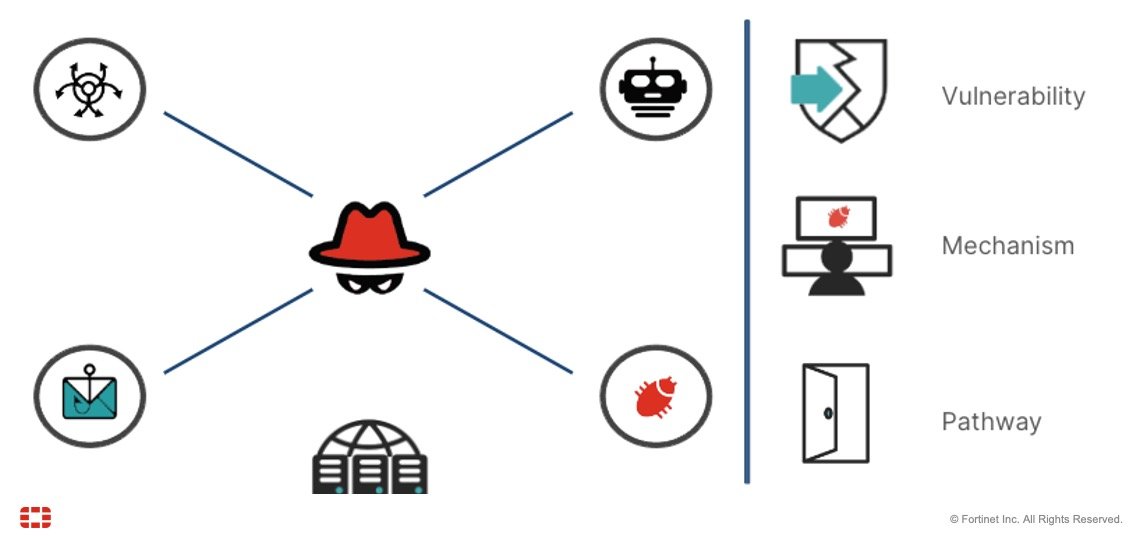
The internet has become an important part of everyday life. We use it to communicate with friends and family, shop online, manage bank accounts, work, study, watch videos, and access important services. While the internet offers countless benefits, it also comes with risks. Scams, identity theft, hacking, cyberbullying, malware, and privacy problems can affect anyone.
This is why online safety matters.
Online safety means taking sensible steps to protect your personal information, accounts, devices, money, and privacy while using the internet. You do not need to be a technology expert to stay safer online. A few simple habits can make a significant difference.
What Is Online Safety?
Online safety is the practice of protecting yourself and your information while using websites, apps, social media, email, and other internet-connected services.
It includes everything from creating strong passwords and recognizing scams to keeping your devices updated and being careful about what you share online.
Think of online safety in the same way you think about locking your front door. You cannot eliminate every possible risk, but you can make it much harder for someone to cause harm.
Your online accounts may contain valuable information, including your name, address, phone number, financial details, photographs, private conversations, and work-related documents. Protecting this information should be a regular part of your digital routine.
Why Is Online Safety Important?
Many people assume that cybercriminals only target large companies or wealthy individuals. In reality, ordinary internet users can also become targets.
A stolen password can give someone access to your email or social media account. A convincing phishing message can trick you into revealing financial information. A malicious download can infect your computer or smartphone.
Online safety is important because one small mistake can sometimes create a much bigger problem.
For example, if you reuse the same password on several websites and one website experiences a data breach, criminals may try that same password on your other accounts. If it works, they could gain access to your email, shopping accounts, or other personal services.
Good security habits reduce these risks.
Create Strong and Unique Passwords
Passwords are one of the simplest ways to protect online accounts, but weak or reused passwords can make accounts vulnerable.
A strong password should be difficult for other people to guess. Avoid using obvious information such as your name, birthday, address, or favorite sports team.
It is also important to use different passwords for different accounts. Your email account, banking account, social media profiles, and shopping accounts should not all have the same password.
Remembering many unique passwords can be difficult, which is why a reputable password manager can be useful. A password manager can help create and securely store strong passwords so you do not have to memorize every one.
Turn On Multi-Factor Authentication
Strong passwords are helpful, but they are not always enough. Multi-factor authentication, often called MFA or two-factor authentication, adds another layer of protection.
With MFA enabled, logging in usually requires something more than your password. This might be a code sent to your phone, an authentication app, a security key, or biometric verification.
Even if someone manages to obtain your password, MFA can make it much more difficult for them to access your account.
Whenever an important service offers multi-factor authentication, consider enabling it.
Learn How to Recognize Phishing Scams
Phishing is one of the most common online threats. A phishing scam attempts to trick you into providing sensitive information or clicking on a harmful link.
A scam message may appear to come from a bank, delivery company, employer, government agency, friend, or popular online service. The message may claim that your account has a problem or that you need to take immediate action.
Frequently Asked Questions About Online Safety
1. What is online safety?
Online safety means protecting your personal information, accounts, devices, and privacy while using the internet. It includes using strong passwords, avoiding suspicious links, enabling multi-factor authentication, and being careful about what you share online.
2. Why is online safety important?
Online safety is important because internet users can face risks such as scams, identity theft, hacking, malware, and privacy breaches. Following basic security practices can help reduce these risks and protect your personal and financial information.
3. How can I create a strong password?
A strong password should be long, difficult to guess, and unique to one account. Avoid using easily available information such as your name, birthday, or address. Using a trusted password manager can also help you create and store strong passwords.
4. What is multi-factor authentication?
Multi-factor authentication, or MFA, is an extra layer of account security. Instead of relying only on a password, it may require a verification code, authentication app, security key, or biometric confirmation before allowing you to log in.
5. How can I recognize an online scam?
Common warning signs include unexpected messages, urgent requests, suspicious links, unusual payment requests, spelling or formatting problems, and offers that seem too good to be true. When in doubt, contact the company or person through an official method instead of using information provided in the suspicious message.
6. Is public Wi-Fi safe to use?
Public Wi-Fi can be convenient, but you should be cautious when using it for sensitive activities such as banking or accessing important accounts. Whenever possible, use a trusted network or mobile connection and keep your device’s security software updated.
7. How can I protect my children online?
Talk openly with children about internet safety and teach them not to share personal information with strangers. Encourage them to report uncomfortable or suspicious situations to a trusted adult. Privacy settings and parental controls can provide additional protection.
8. What should I do if I think my online account has been hacked?
If you think your account has been compromised, change the password immediately and enable multi-factor authentication. Check for suspicious activity and contact the relevant service provider. If financial information may have been exposed, contact your bank or card provider as soon as possible.
Conclusion
Staying safe online does not have to be complicated. Simple habits such as using strong passwords, enabling multi-factor authentication, keeping your devices updated, avoiding suspicious links, and protecting your personal information can make a big difference. The internet is a valuable part of modern life, so the goal is not to avoid it but to use it wisely and responsibly. By staying alert and thinking carefully before clicking, sharing, or responding, you can reduce online risks and protect yourself, your family, and your digital information.