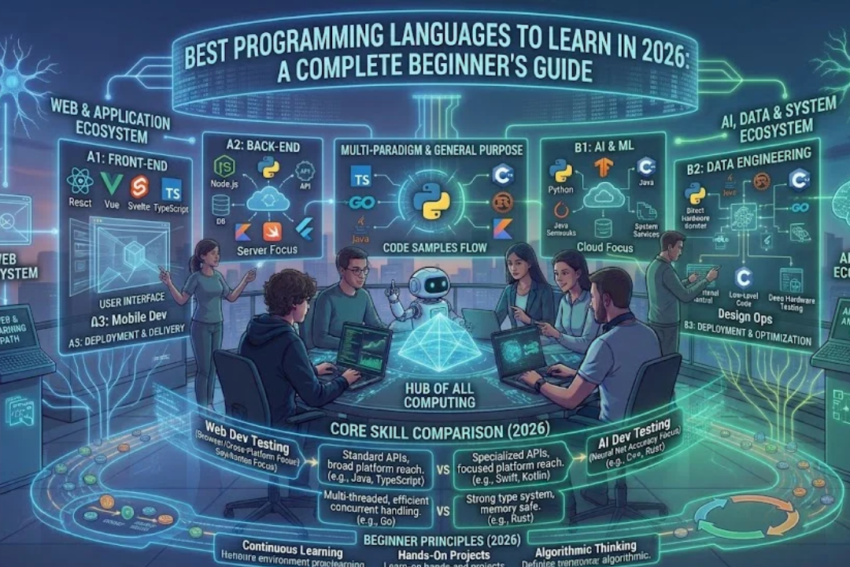
Meta Title: Best Programming Languages to Learn in 2026 for Beginners
Meta Description: Discover the best programming languages to learn in 2026, including Python, JavaScript, Java, C++, C#, and SQL. Compare their uses, benefits, difficulty, and career opportunities.
Focus Keyword: Best Programming Languages to Learn in 2026
Secondary Keywords: Best programming language for beginners, popular programming languages, Python programming, JavaScript development, programming languages for jobs, coding for beginners, software development careers.
Introduction
Programming has become an essential skill in today’s digital world. From websites and mobile applications to artificial intelligence, cybersecurity, business automation, and video games, programming languages help developers create the technologies people use every day.
As technology continues to evolve, learning to code can open doors to new career opportunities, freelance projects, personal software projects, and professional growth. However, beginners often face one important question: Which programming language should you learn first in 2026?
The answer depends on your goals. Some programming languages are particularly suitable for beginners, while others are better suited to enterprise software, mobile applications, game development, or systems programming.
Python is a popular choice for beginners and people interested in artificial intelligence and data analysis. JavaScript is essential for interactive web development. Java and C# are widely used in business software, while C and C++ are important in systems programming and performance-sensitive applications.
In this guide, we will explore the best programming languages to learn in 2026, explain what each language is used for, compare their advantages and challenges, and help you choose the right language for your career goals.
What Is a Programming Language?
A programming language is a formal language used to express instructions that a computer can execute, directly or through translation by a compiler, interpreter, or other runtime system.
Developers use programming languages to create applications, automate repetitive tasks, process data, manage databases, control devices, and solve computational problems.
For example, a developer might use Python to analyze a spreadsheet, JavaScript to create an interactive website, or C++ to develop a performance-intensive application.
Different languages are designed with different priorities. Some emphasize readability and rapid development, while others provide detailed control over memory, system resources, or execution performance.
No single programming language is best for every situation. The most useful language is usually the one that fits the project you want to build.
Why Should You Learn Programming in 2026?
Learning programming can provide practical benefits for students, professionals, entrepreneurs, and technology enthusiasts.
1. Career Opportunities
Programming skills are relevant to many occupations, including software development, web development, data engineering, automation, mobile development, and artificial intelligence.
The qualifications required vary by role, and learning a language alone does not guarantee employment. However, combining programming knowledge with practical projects can help you prepare for relevant opportunities.
2. Freelancing and Remote Work
Developers may offer services such as website creation, application development, workflow automation, data processing, and software maintenance.
Some of these services can be delivered remotely, depending on client requirements and the nature of the project.
3. Artificial Intelligence and Data Analysis
Programming helps professionals process information, build analytical tools, experiment with machine learning, and integrate AI services into applications.
Python is especially useful in this area because of its extensive collection of libraries.
4. Business Automation
Even basic programming can automate repetitive work. Examples include renaming files, generating reports, processing spreadsheets, and organizing records.
Automation can save time and reduce manual errors when applications are designed and tested properly.
5. Problem-Solving Skills
Programming encourages logical thinking, structured problem-solving, and the ability to break complex tasks into smaller steps.
These skills can be useful even when programming is not your primary occupation.
10 Best Programming Languages to Learn in 2026
The following languages are selected for their established uses, learning opportunities, and relevance across different areas of software development. This is a practical guide rather than a strict ranking of popularity.
<box gap={3}>
<row align=start gap={3}>
<AsyncImage query=”Python programming language logo blue yellow official symbol” aspectRatio=”1:1″ maxWidth=”92px”/>
<box flex=”1″ gap={1}>
**1. Python**
  <badge color="success">Great for beginners</badge>

  Python is a readable, general-purpose language used in automation, web development, data analysis, scientific computing, and artificial intelligence.

  **Best for:** Beginners, AI, data science, automation, and scripting.
</box>
</row>
<divider color=”subtle”/>
<row align=start gap={3}>
<AsyncImage query=”JavaScript programming language yellow JS logo” aspectRatio=”1:1″ maxWidth=”92px”/>
<box flex=”1″ gap={1}>
**2. JavaScript**
  JavaScript powers interactive websites and can also be used for backend services and other application types.

  **Best for:** Frontend development, web applications, and full-stack development.
</box>
</row>
<divider color=”subtle”/>
<row align=start gap={3}>
<AsyncImage query=”Java programming language coffee cup logo official” aspectRatio=”1:1″ maxWidth=”92px”/>
<box flex=”1″ gap={1}>
**3. Java**
  Java is an established language for enterprise applications, backend systems, and Android-related development.

  **Best for:** Enterprise software, backend systems, and structured application development.
</box>
</row>
<divider color=”subtle”/>
<row align=start gap={3}>
<AsyncImage query=”C++ programming language logo blue C plus plus” aspectRatio=”1:1″ maxWidth=”92px”/>
<box flex=”1″ gap={1}>
**4. C++**
  C++ supports performance-intensive applications and provides detailed control over resources.

  **Best for:** Game engines, systems programming, desktop software, and high-performance applications.
</box>
</row>
<divider color=”subtle”/>
<row align=start gap={3}>
<AsyncImage query=”C sharp C# programming language purple logo” aspectRatio=”1:1″ maxWidth=”92px”/>
<box flex=”1″ gap={1}>
**5. C#**
  C# is commonly used with the .NET ecosystem for web applications, desktop programs, business software, and games.

  **Best for:** Enterprise applications, Windows development, and Unity game development.
</box>
</row>
<divider color=”subtle”/>
<row align=start gap={3}>
<AsyncImage query=”SQL database structured query language database icon” aspectRatio=”1:1″ maxWidth=”92px”/>
<box flex=”1″ gap={1}>
**6. SQL**
  SQL is used to retrieve, organize, and update information stored in relational databases.

  **Best for:** Data analysis, database management, reporting, and backend development.
</box>
</row>
<divider color=”subtle”/>
<row align=start gap={3}>
<AsyncImage query=”TypeScript programming language blue TS logo” aspectRatio=”1:1″ maxWidth=”92px”/>
<box flex=”1″ gap={1}>
**7. TypeScript**
  TypeScript extends JavaScript with static typing features that can help developers maintain larger codebases.

  **Best for:** Large web applications, frontend development, and full-stack projects.
</box>
</row>
<divider color=”subtle”/>
<row align=start gap={3}>
<AsyncImage query=”Go programming language gopher logo official” aspectRatio=”1:1″ maxWidth=”92px”/>
<box flex=”1″ gap={1}>
**8. Go**
  Go is designed for efficient software development and is used in backend services, networking tools, and cloud infrastructure.

  **Best for:** Cloud services, APIs, networking, and concurrent applications.
</box>
</row>
<divider color=”subtle”/>
<row align=start gap={3}>
<AsyncImage query=”Swift programming language orange bird logo official” aspectRatio=”1:1″ maxWidth=”92px”/>
<box flex=”1″ gap={1}>
**9. Swift**
  Swift is Apple's modern programming language for building applications across its platforms.

  **Best for:** iPhone, iPad, Mac, and other Apple-platform applications.
</box>
</row>
<divider color=”subtle”/>
<row align=start gap={3}>
<AsyncImage query=”Kotlin programming language official K logo purple orange” aspectRatio=”1:1″ maxWidth=”92px”/>
<box flex=”1″ gap={1}>
**10. Kotlin**
  Kotlin is widely used for Android development and can also support backend and multiplatform projects.

  **Best for:** Android applications and modern JVM-based development.
</box>
</row>
</box>
1. Python: One of the Best Programming Languages for Beginners
Python is a general-purpose programming language known for its readable syntax and extensive ecosystem of libraries.
It is frequently recommended to beginners because many basic programs can be written without the complex syntax found in some other languages.
What Is Python Used For?
Python supports a wide variety of applications, including:
- Artificial intelligence and machine learning.
- Data analysis and scientific computing.
- Task automation and scripting.
- Web application backends.
- Testing and development tools.
- Data processing and reporting.
For example, a Python script can read a spreadsheet, calculate totals, identify missing values, and generate a summary report.
Advantages of Python
Python has a relatively gentle learning curve, a large community, extensive documentation, and libraries for many technical tasks.
It is useful for learners who want to explore several areas before selecting a specialization.
Challenges of Python
Python is not always the best choice for every performance-sensitive application or platform-specific task. Some applications may require additional optimization or integration with other technologies.
Who Should Learn Python?
Python is a strong option for students, beginners, analysts, researchers, and developers interested in automation or AI.
2. JavaScript: Essential for Modern Web Development
JavaScript is one of the central technologies of interactive web development.
It enables websites to respond to user actions, update content dynamically, validate forms, and communicate with online services.
What Is JavaScript Used For?
JavaScript is used for:
- Interactive websites.
- Frontend frameworks such as React.
- Backend services through Node.js.
- Browser-based games.
- Web APIs and application integrations.
- Some mobile and desktop development workflows.
Advantages of JavaScript
Beginners can quickly create visible results in a browser. JavaScript also provides a pathway into frontend, backend, and full-stack development.
Challenges of JavaScript
The language has some behaviors that can confuse beginners, especially when working with asynchronous code, type conversions, and large applications.
TypeScript can help teams manage complexity as projects grow.
Who Should Learn JavaScript?
Choose JavaScript if you want to create websites, interactive web applications, online tools, or full-stack projects.
3. Java: A Strong Choice for Enterprise Software
Java is a general-purpose, object-oriented programming language used in many business and enterprise environments.
It runs on the Java Virtual Machine (JVM), allowing compatible applications to operate across supported environments.
What Is Java Used For?
Java is commonly used for:
- Enterprise software.
- Backend services.
- Large business applications.
- Financial and transaction systems.
- Android development in relevant environments.
- Distributed application systems.
Advantages of Java
Java has a mature ecosystem, extensive documentation, and strong support for object-oriented programming. It is widely taught in computer science programs.
Challenges of Java
Java applications can require more setup and boilerplate code than simple scripts written in some other languages. Beginners also need time to understand classes, objects, interfaces, and the broader ecosystem.
Who Should Learn Java?
Java is worth considering if you want to work on enterprise systems, backend services, or structured, large-scale applications.
4. C++: For Performance and Systems Programming
C++ is a powerful programming language used when developers need performance and control over system resources.
It supports multiple programming styles, including object-oriented, procedural, and generic programming.
What Is C++ Used For?
Common applications include:
- Game engines.
- Graphics and simulation software.
- Systems programming.
- Desktop applications.
- Real-time and performance-sensitive software.
- High-performance computing.
Advantages of C++
C++ offers fine-grained control over memory and performance, along with a mature ecosystem for complex applications.
Challenges of C++
C++ can be more difficult for beginners because it introduces concepts such as pointers, memory management, object lifetimes, and complex compilation workflows.
Who Should Learn C++?
C++ is suitable for learners interested in game engines, systems software, performance optimization, and low-level programming.
5. C#: A Versatile Language for Business Applications and Games
C# is a modern programming language commonly used with Microsoft’s .NET platform.
It supports application development across multiple environments, depending on the frameworks and libraries selected.
What Is C# Used For?
C# is used for:
- Web applications and APIs.
- Business software.
- Desktop applications.
- Cloud services.
- Game development with Unity.
- Internal enterprise tools.
Advantages of C#
C# offers strong development tools, modern language features, and a well-established ecosystem. Developers can use it for both web-based and desktop applications.
Challenges of C#
The learning process includes understanding the .NET ecosystem, application architecture, and the libraries relevant to the chosen platform.
Who Should Learn C#?
Consider C# if you want to work with .NET applications, enterprise systems, or Unity games.
6. SQL: An Essential Skill for Working With Data
SQL stands for Structured Query Language. It is used to interact with relational databases such as PostgreSQL, MySQL, and Microsoft SQL Server.
Although SQL serves a different purpose from general-purpose languages, it is an essential skill for many developers and data professionals.
What Is SQL Used For?
SQL allows users to:
- Retrieve information from databases.
- Filter and sort records.
- Insert, update, and delete data.
- Combine information from related tables.
- Calculate summaries and aggregates.
- Support reporting and data analysis.
For example, an online store may use SQL to retrieve order information, identify popular products, or generate monthly sales reports.
Advantages of SQL
SQL is highly practical for data-oriented work and complements languages such as Python, Java, and JavaScript.
Challenges of SQL
Complex queries involving joins, subqueries, performance tuning, and large databases take practice to master.
Who Should Learn SQL?
SQL is particularly valuable for database developers, backend developers, data analysts, business intelligence professionals, and software engineers.
7. TypeScript: Better Structure for Large JavaScript Projects
TypeScript is a programming language built on JavaScript that adds a type system and other development features.
TypeScript code is typically compiled into JavaScript so it can run in compatible environments.
What Is TypeScript Used For?
It is frequently used for:
- Large frontend applications.
- React-based projects.
- Backend services.
- Shared code across development teams.
- Applications that benefit from improved type checking.
Advantages of TypeScript
Type annotations and tooling can help developers identify certain errors earlier, improve code navigation, and maintain large projects.
Challenges of TypeScript
Beginners must learn JavaScript fundamentals first or alongside TypeScript. They also need to understand its type system, which can become sophisticated in advanced projects.
Who Should Learn TypeScript?
TypeScript is an excellent next step for web developers who already understand JavaScript and want to work on larger applications.
8. Go: A Practical Language for Cloud and Backend Systems
Go, also known as Golang, was developed at Google and is used for backend services, infrastructure tools, networking, and cloud software.
It is known for a relatively small language specification, straightforward syntax, and built-in support for concurrent programming.
What Is Go Used For?
Common uses include:
- Web servers and APIs.
- Cloud infrastructure tools.
- Networking applications.
- Command-line utilities.
- Distributed services.
- Concurrent backend workloads.
Advantages of Go
Go has a straightforward syntax, a built-in toolchain, and practical concurrency features. It can be a good fit for developers building network services.
Challenges of Go
Go is not the most natural first choice for every area, such as browser-based frontend development or data science. Its ecosystem and design also differ from those of larger, more feature-rich languages.
Who Should Learn Go?
Go is worth exploring if you are interested in cloud engineering, backend development, networking, or infrastructure software.
9. Swift: A Key Language for Apple Applications
Swift is a programming language developed by Apple for building applications across Apple platforms.
It is designed to support modern application development with features intended to improve safety and expressiveness.
What Is Swift Used For?
Swift is used for applications targeting:
- iOS and iPadOS.
- macOS.
- watchOS.
- tvOS.
- Other supported Apple-platform environments.
Advantages of Swift
Swift integrates with Apple’s development ecosystem and supports modern language features. It is a logical choice for developers who want to build native Apple applications.
Challenges of Swift
Developers typically need access to suitable Apple development tools and should learn the platform-specific frameworks and publishing process.
Who Should Learn Swift?
Choose Swift if you want to create iPhone applications or other software for Apple platforms.
10. Kotlin: A Modern Choice for Android Development
Kotlin is a modern programming language that runs on the Java Virtual Machine and is widely used for Android application development.
It can also be used in backend development and supported multiplatform projects.
What Is Kotlin Used For?
Kotlin is commonly used for:
- Android applications.
- Backend services.
- JVM-based software.
- Shared business logic in supported multiplatform projects.
Advantages of Kotlin
Kotlin provides concise syntax, null-safety features, and interoperability with Java. These features can make application code easier to maintain.
Challenges of Kotlin
Developers need to learn the Android development ecosystem, including application lifecycle concepts, UI frameworks, and platform-specific tools.
Who Should Learn Kotlin?
Kotlin is a strong choice for learners who want to develop Android apps or work with modern JVM technologies.
Comparison of the Best Programming Languages
The following table summarizes the main use cases and learning considerations for each language.
| Language | Best known for | Beginner learning level |
|---|---|---|
| Python | Automation, AI, data analysis | Beginner-friendly |
| JavaScript | Interactive web development | Beginner-friendly with practice |
| Java | Enterprise applications | Moderate |
| C++ | Performance-sensitive software | Challenging |
| C# | .NET applications and games | Beginner to moderate |
| SQL | Relational databases and queries | Beginner-friendly for basic queries |
| TypeScript | Structured JavaScript applications | Easier after JavaScript |
| Go | Backend and cloud infrastructure | Beginner to moderate |
| Swift | Apple-platform apps | Beginner to moderate |
| Kotlin | Android development | Beginner to moderate |
These learning levels are approximate. Your previous programming experience and the complexity of the projects you build will affect how difficult a language feels.
Which Programming Language Is Best for Beginners?
There is no universal answer, but a few choices are especially practical for different goals.
Best for General Programming: Python
Python is a good option if you want to learn fundamental concepts, automate tasks, or explore data-related applications.
Best for Web Development: JavaScript
JavaScript is essential for interactive frontend development and can also be used on the backend.
Best for Android Development: Kotlin
Kotlin is widely used for modern Android development and integrates with the Android ecosystem.
Best for iPhone Development: Swift
Swift is the natural starting point for people who want to build native applications for Apple platforms.
Best for Enterprise Software: Java or C#
Both languages have mature ecosystems for business applications. Your choice may depend on local job requirements, the employer’s technology stack, and your project goals.
Best for Data Analysis: Python and SQL
Python supports data processing and analysis, while SQL allows you to query relational databases. Together, they provide a useful foundation for many data-related tasks.
Best for Game Development: C# or C++
C# is widely used with Unity, while C++ is important in Unreal Engine and other performance-intensive game development environments.
How to Choose the Right Programming Language
Before choosing a language, consider the following factors.
1. Define Your Goal
Decide what you want to create. A website, Android app, AI model, desktop program, and embedded device may require different technologies.
2. Research Relevant Jobs
Look at entry-level job advertisements in your target location. Identify which languages, frameworks, and additional skills employers commonly request.
3. Consider the Learning Curve
Choose a language that lets you make progress without overwhelming you with unnecessary complexity at the beginning.
4. Evaluate the Ecosystem
Documentation, libraries, community resources, and development tools can make learning and project development easier.
5. Build a Small Project
Try a simple project before committing to a long learning plan. For example, create a calculator, a basic website, or a small automation script.
6. Avoid Learning Too Many Languages at Once
Learning several languages simultaneously can divide your attention. Start with one primary language, understand the fundamentals, and add another when your projects require it.
A Six-Month Programming Learning Roadmap
If you are starting from zero, the following plan can help you organize your learning.
Month 1: Learn the Basics
Choose Python or JavaScript based on your goal. Study variables, data types, conditions, loops, functions, and basic error handling.
Practice with short exercises rather than simply watching tutorials.
Month 2: Solve Programming Problems
Work with lists, dictionaries or objects, strings, files, and basic data structures.
Learn to break problems into smaller steps and debug your own code.
Month 3: Build Your First Projects
Create two or three small projects, such as a calculator, expense tracker, or simple website.
Focus on completing functional projects rather than making them unnecessarily complicated.
Month 4: Learn Essential Development Tools
Study Git, GitHub, code editors, debugging, and basic testing. Learn how to document your work.
Month 5: Explore a Specialization
Depending on your interests, learn a web framework, database queries, mobile development, or basic data analysis.
Month 6: Build a Portfolio
Complete one larger project that combines several skills. Publish your work where appropriate and write a clear explanation of its features and implementation.
This schedule is a suggested learning structure, not a guarantee of professional readiness. Your progress will depend on your available time, previous experience, and project complexity.
Common Mistakes to Avoid When Learning Programming
Many beginners make similar mistakes. Avoiding them can make learning more productive.
Switching Languages Too Frequently
Do not abandon a language every time a new technology becomes popular. Learn enough to build projects and understand fundamental programming concepts first.
Copying Code Without Understanding It
Copying examples can be useful during practice, but you should understand what the code does and why it works. Try changing the code and predicting the result.
Ignoring Error Messages
Errors provide information about what went wrong. Learn to read them carefully, isolate the issue, and test possible solutions.
Avoiding Practical Projects
Programming is a practical skill. Exercises help you understand concepts, while projects teach you how to combine them into working applications.
Ignoring Documentation
Official documentation explains language features, libraries, and tools. Learning to read it helps you solve problems independently and keep up with changes.
Expecting Immediate Employment
Learning a programming language is only one step toward a career. Depending on the role, you may also need projects, testing knowledge, databases, frameworks, collaboration skills, and interview preparation.
Future of Programming Languages in 2026 and Beyond
Programming continues to evolve as developers build more complex applications and adopt new tools.
Artificial Intelligence and Machine Learning
Python remains a practical language for AI experimentation, data processing, and machine learning because of its broad library ecosystem.
Cloud Computing
Go, Java, Python, JavaScript, and other languages are used to build cloud-based services. The right choice depends on the infrastructure, framework, and application requirements.
AI-Assisted Coding
AI coding assistants can help developers generate drafts, explain code, and explore solutions. However, developers still need to evaluate generated code, test it, understand its behavior, and protect sensitive information.
Cybersecurity
Security-conscious programming is important across web applications, mobile apps, desktop software, and infrastructure systems.
Cross-Platform Applications
Technologies such as TypeScript, Kotlin, and various application frameworks support projects that share code across multiple platforms.
Continued Importance of Programming Fundamentals
Despite changes in tools, understanding algorithms, debugging, data structures, software design, and testing remains valuable.
Instead of chasing every new trend, focus on learning fundamentals that can be applied across languages and technologies.
Frequently Asked Questions (FAQs)
1. Which is the best programming language to learn in 2026?
The best language depends on your goals. Python is a strong option for general programming, automation, and AI. JavaScript is essential for web development, while Kotlin and Swift are relevant to Android and Apple-platform applications, respectively.
2. Is Python better than JavaScript?
Neither language is universally better. Python is commonly used for automation, data analysis, AI, and backend development. JavaScript is essential for interactive web interfaces and is also used for backend applications.
3. Can I learn programming without a computer science degree?
Yes. Many people learn programming through independent study, courses, books, and practical projects. Some employers require specific qualifications, while others emphasize skills and relevant experience.
4. How long does it take to learn a programming language?
You may learn basic syntax in weeks, but becoming comfortable building useful applications typically requires continued practice over several months or longer. Advanced professional skills take additional time and experience.
5. Which programming language is best for getting a job?
There is no single best language for every job market. Research the requirements of your target roles and choose technologies that align with local opportunities and your interests.
6. Is C++ harder than Python?
C++ generally introduces more concepts that beginners must manage, including memory and object lifetimes. Python’s syntax is usually easier to read at first, although advanced programming in either language can be challenging.
7. Should I learn SQL with Python?
Yes, if you are interested in data analysis, backend development, or applications that store information in relational databases. Python and SQL complement one another.
8. Can I learn two programming languages at the same time?
You can, but beginners often make faster progress by concentrating on one primary language. Once you understand programming fundamentals, learning a second language becomes easier.
9. Are programming languages becoming less important because of AI?
AI tools can automate parts of coding, but developers still need to understand requirements, assess code quality, test applications, address security issues, and solve complex problems. Programming knowledge remains useful for evaluating AI-generated results.
10. What should I do after learning my first programming language?
Build projects, learn version control, practice debugging, understand basic testing, and explore the tools used in your chosen specialization. Create a portfolio that demonstrates your practical skills.
Conclusion
Learning a programming language in 2026 can help you explore software development, web applications, mobile technology, data analysis, automation, and many other areas.
Python is an excellent starting point for many beginners, while JavaScript is a practical choice for web development. Java and C# are useful for enterprise applications, C++ supports performance-intensive software, and SQL provides essential database skills. Swift and Kotlin are valuable for mobile development, while TypeScript and Go offer opportunities in web and backend engineering.
The key is to choose a language that matches your goals, learn its fundamentals, and apply your knowledge through practical projects.
You do not need to master every programming language to become a capable developer. Start with one, practice consistently, learn to solve problems independently, and expand your skills as your interests develop.
Your first programming language is the beginning of your journey, not a decision that determines your entire future.